


With this session it was supposedly Substance painter today instead we learnt about Exporting, Baking, Reviewing and a bit of Substance painter at the end. I found this to be better as swapping these sessions around shows you the work flow of Asset production. With this session it wasn’t to difficult to do as I have already covered this in my spare time when I did the ZBrush cube baking in Marmoset. So I have the basic understanding of baking in Marmoset thanks to its YouTube tutorials. So I already knew the baking process and the paint skew which we covered this session which I still found useful as there might be an easier method to how I have done it. However something new that I learnt from this that I found interesting is the Maps and how they work. As for instance if you want to have separate materials you can colour code them and put them into a map which I did for the fidget cube due to the screw heads. This is definitely a useful process to keep for future projects. Overall the baking and export processes aren’t too difficult however they are tedious with perfecting them and creating the individual maps.
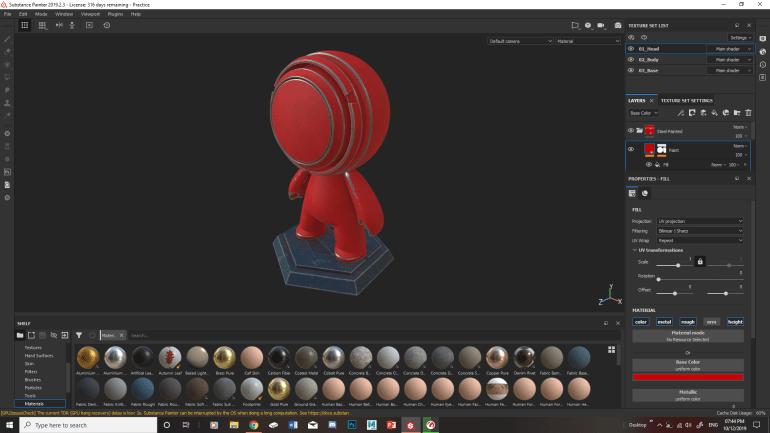
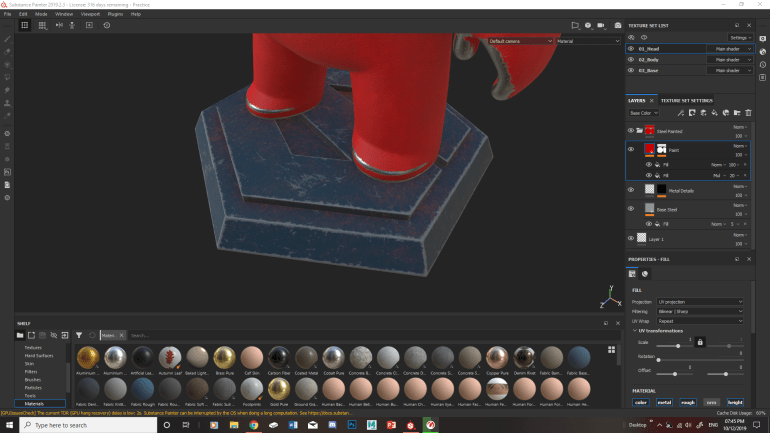
With substance Painter I have looked at it before and watched some tutorials on the layout and the processes. Which are useful however I haven’t played around with it that much. So when playing around with it in this session, it was daunting. As I didn’t know what to do at first but when Chris explained it in the layout of Photo Shop which its similar in certain ways in layout and layers. It made it easier for me to understand the layout and how to use the software as it links it to Photo Shop which I have experience with. With creating some textures were a bit difficult at first as there are so many options and settings for each one. But after a while I got the hang of what settings I would need to alter to achieve the right texture.


With playing around with Substance painter I put to use what I have learnt on the fidget cube. Which I went for a metallic red for the base of the cube and a metallic grey for the screws. The reason for this is so I can show imperfections in the metal such as scratches and smudges where its been held/used. Overall its turned out alright so far as I managed to achieve the scratches which I am still playing around with in its placement. My overall impression of Substance painter is that at first glance it looks overly complicated however over time it get easier to use and understand.
 Thomas Morphew Games art