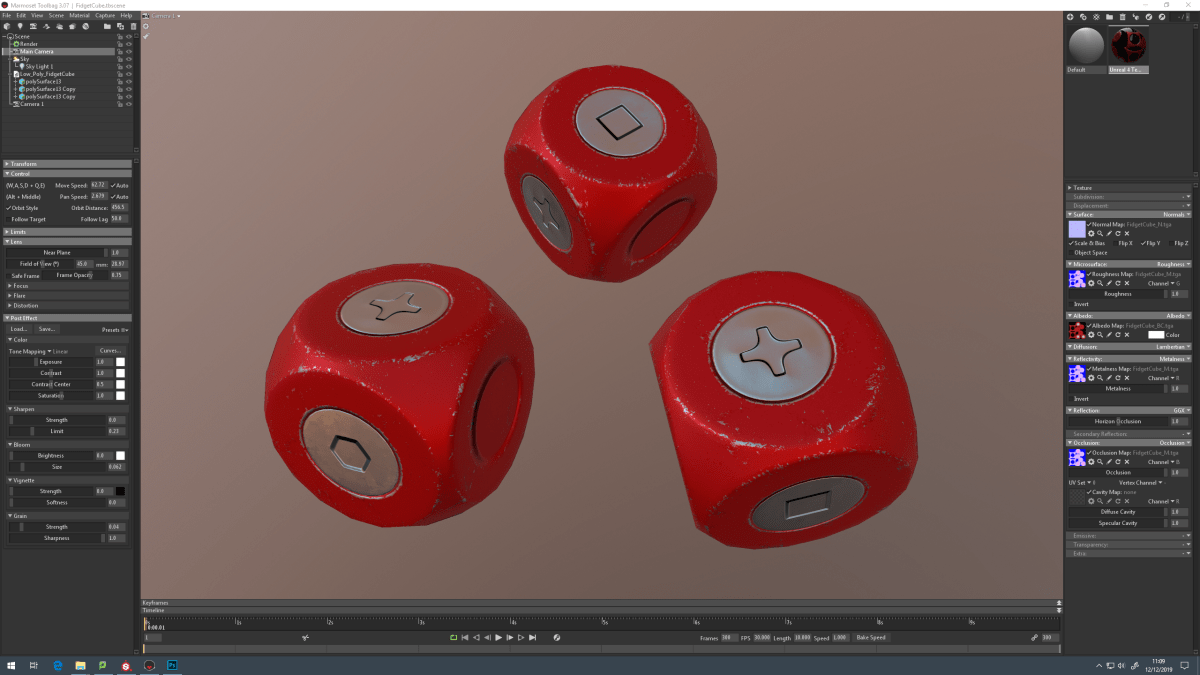
Carrying on from last weeks session where we covered baking, exporting and using substance painter using the fidget cube. I carried on with my Fidget cube finishing up on the textures for it. With this I improved the red paint by adding different variations of red to show its been weathered by the sun light and scratches. I improved the metal scratches by playing around with the mask to reduce the scratches making them look more realistic. With the textures sorted I then export them which we created our own export type. Which I found useful as I can improve the naming convention for the texture maps. Which I found it to be a pain when I had to name them manually when you can have them done automatically. With this sorted I can then apply these texture maps to my Fidget Cube in Marmoset allowing me to render it properly. One issue I did have with applying the texture maps was working out where they need to be applied in different sections.
With this sorted I can start to play around with the render tools in Marmoset. Which I found interesting as in how you can adjust the camera settings in so many ways. Which I will look into tutorials on using Marmoset with what its capable of from baking to rendering.


With what I learnt on baking, exporting and substance painter I put to use on my sculpted die. By applying textures on it which I have gone with a carved stone style for it which is my original design. However in my spare time I might play around with the style maybe turning it into a metal style just like my fidget cube. As I am still unsure if I should change my design. Overall this session turned out well as both my fidget cube and sculpted die are textured and imported into Marmoset ready to be rendered. Which I will play around with in my spare time to see what renders I could come up with. With this I will look into tutorials on how I can achieve the best render.

