
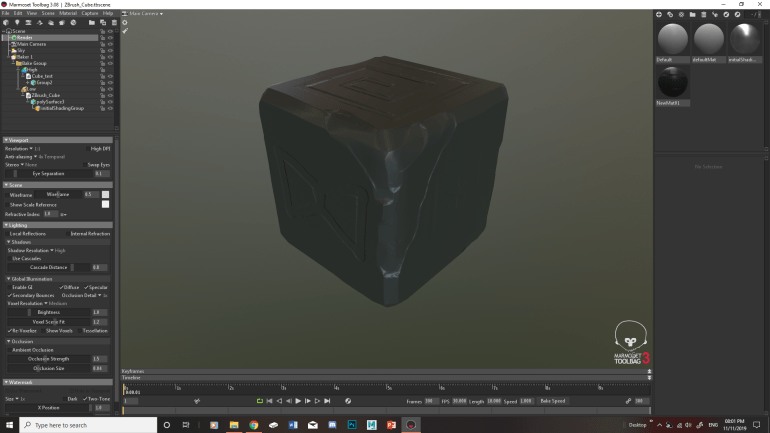
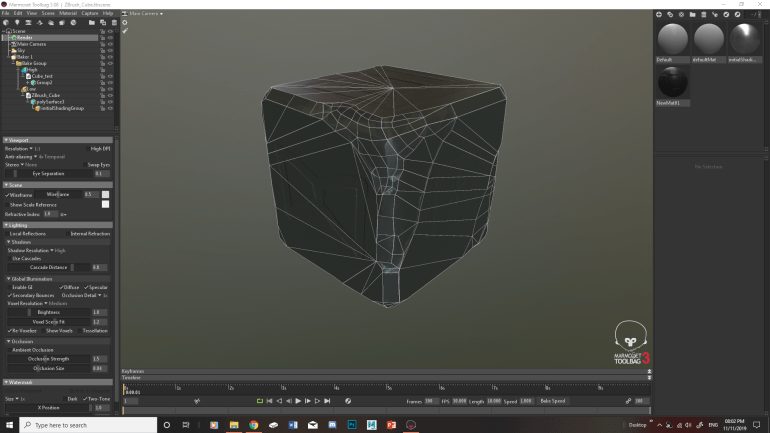
With this session I carried on from last weeks session of UV mapping but first I have to check if my Z Brush cube will bake. As I don’t want to sort the UV mapping out and find out that my Retopology of my cube doesn’t bake. With the baking I have already touched on it in my spare time by looking at the bake tutorial on the marmoset website with gave me a run down of the process. I have tried this before which sort of worked out but the Retopology needed some improvements. This second attempt came out better due to sorting out the Retopology. To check the Retopology I turned on the wire frame and rotated the light around the cube. To check if the retopology lines match up with the bake which it did in some areas so I am going back into it to sort them out.


With the bake sorted I went back to the UV mapping where I Automatic UV map the cube. From there I started cutting the UV map into sections to break it up. An issue I had with cutting the cube was working out what sections I needed to cut as I found it difficult to work out the edges. This is due to some of my edges on the cube being smoothed out on the corners, to sort this out I turned on the wire frame to work out the edges where I should cut. In the end I managed to sort out some of the faces but I am still unsure if my UV map looks right.


After this I had my mid unit review to check that I am up to date with my work. Luckily for me I was up to date, all I had left to do is to improve the retopology as it needs to be neater as then it would make it easier to work on the UV mapping for the cube. At first it was difficult to make the retopology neater as it didn’t have a flow to it. Luckily Chris gave me some ideas on creating flow in my retopology one way to explain it is making it like a highway and roundabouts. With how they connect to each other.
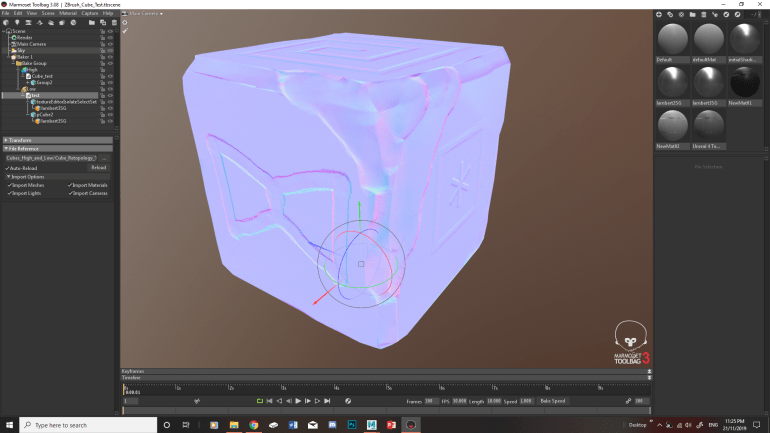
Importing the new retopology into Marmoset came with some issues which for some reason certain sections of polygons become separate which has happened before which Chris found a way to sort it. Fortunately for me I can’t remember how to solve this I tried researching into this issue but I haven’t found anyways to sort it. The next issue is for some reason some lines are baked into the cube which match the low poly cube which I tried to solve by harden/soften edges which didn’t work. I researched into a couple of tutorials and found this YouTube tutorial explain some of the common issues. This didn’t sort my issues however its still useful in case I come across any problems in the future.
With the line problem I thought it was to do with the bake as looking at the normal’s it looks like the bake isn’t reaching the edges of the UV maps leaving some space creating the lines. I looked into this by trying to space out the UV map to sort it which it didn’t. So I then looked at the placement of the lines with the geometry of the Retopology which match. With this lead I tried adjusting the edges which did nothing however playing around with harden/soften edges sort of fixed it as making the cube have soft edges fixed the issue as it reduced the boldness of the lines. So I am going to play around with this to see if I could fix it with this method.
 Thomas Morphew Games art